
RGB Won’t Win You Tournaments—But This Will
It is not a secret that flashy cases and RGB lighting are all over the streamers and envy reels of any reminds. Vision colored segments rave, neon fans turn, and the light rims even the gamers with their glow-ups, filling the social media. However, there is a question behind the shine: do these colorful embellishments assist you in winning? The answer would be loud and clear: no. Never mind the fact that RGB may make your rig look cool; that is not going to do anything to your FPS, game latency, or avoid a crash in the middle of a hot battle. When compared to high-end gaming, performance is the real edge: fast memory system, performance processors, stable and responsive framerates, and thermal efficiency. That’s why serious gamers are turning to assembled desktops, customizable rigs that focus on power and precision instead of presentation. The myths behind the aesthetics of gaming are busted, and it is revealed why, ultimately, it is specs and savvy customization that crushes the competition.
The Distraction of RGB: Why Looks Don’t Equal Wins
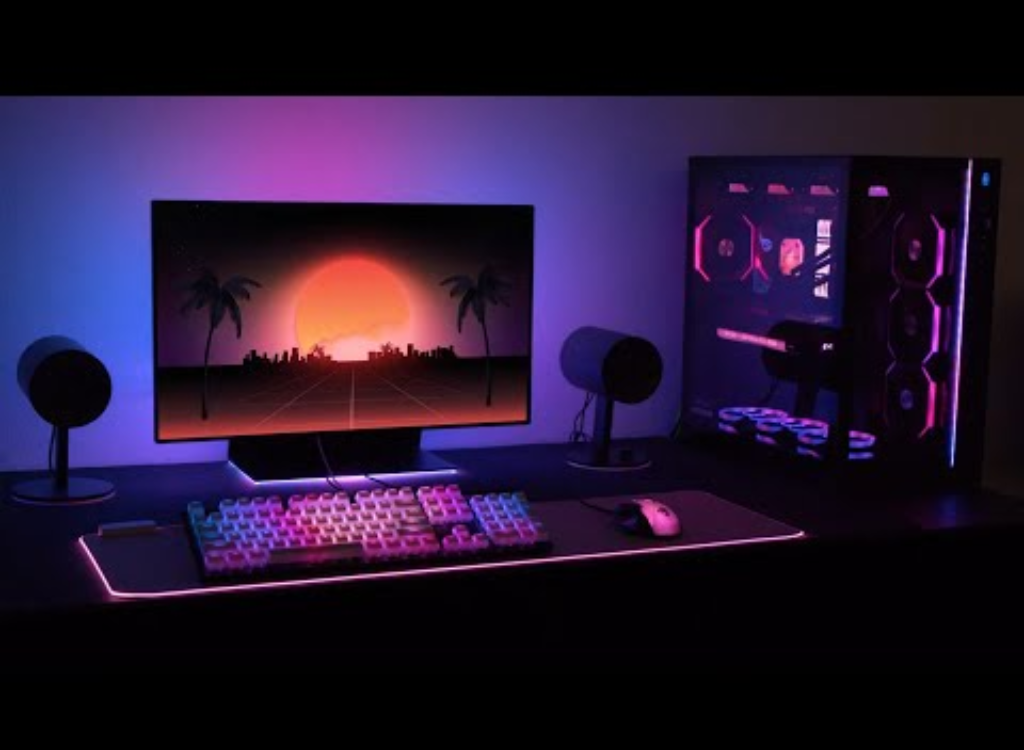
It is alluring to RGB. It creates an accent to the streams and draws attention both in the general gaming cafes and even in LAN parties. However, the appearance of changing color LEDS does not give any practical benefit. The flashy lights can draw attention away from the outdoor games, hide the game on the screen, or be synchronized to processes that are not essential to the game, waste power, and heat up. Poorly designed DIY lighting groups can cause electrical noise that, when coupled with very sensitive audio equipment, may cause certain minor audio interference.
Why Specs and Cooling Outperform Showpieces
The three performance pillars of a winning gaming rig include processing capability, graphics output, and heat management. The first would be the processo, the central coordinator. Traditional game engines are entirely dependent on CPU threads to perform physics, game AI, draw calls, and operating system overhead. In terms of competitive games, a clock-frequency tuned CPU with excellent single-core performance can be of immense benefit. The GPU follows where the frame rendering and delivery are done in real time. The graphics card provisions include sufficient VRAM to work, a decent cooling solution, and an optimized power instruction system, which guarantees extended, less stuttery frame rates, specifically high refresh rates. Last but not least, there is the issue of heat, which is very important. Throttling in thermally stressed components inhibits clocking speeds and jerks to/fro game play. That’s why assembled desktops—distinct from pre-built systems—are tailored to deliver optimal thermal performance. They integrate high-quality fans, proper airflow, and case design to ensure cool parts, even at full load, allowing users to remain at the highest fps.
Why Assembled Desktops Offer Superior Performance
Unlike off-the-shelf computers, assembled desktops are tailored piece by piece. In order to have a particular configuration, gamers choose by themselves the CPU, GPU, motherboard, RAM, power supply, storage system, cooling system, and even the case. The result of such a degree of control is the balance of resources, absence of bottlenecks, and prioritization of actual performance gains. An example is that combining a powerful CPU and under underpowered GPU, or conversely, results in leftover fps. The presence of a tailor-made rig guarantees compatibility among parts. Similarly, high-speed NVMe storage greatly improves the loading time, and stutters may arise during the texture stream sequences in-game. Also important are quality power supplies and VRMs on motherboards, which offer stable voltages at full load, whereas pre-built rigs tend to save money on these aspects and surprise people with reduced overclocking headroom and unpredictable throttling. Customized arrangements enable players to invest money in a place that is much needed, rather than in a style that they do not need.
Cooling: The Invisible Tournament Factor
Once the temperature standard of your processor or graphics card overheats past the required heat level, the computer components will automatically cool down to prevent hardware destruction. When you need fps the most, this throttling takes its toll and dips fps. Assembled desktops often include custom air or liquid cooling systems that are strategically designed to keep thermals well below throttle thresholds. Good cooling converts performance through the roof into long-term performance plateau stability in the area where it really matters, e.g., in a long tournament or even a LAN party where each frame can be the difference between a win and a loss. Some fans go to the extent of stress testing their systems before a competition to make sure that they do not perform low. Such control and visibility are just impossible to achieve with off-the-shelf units packed with LEDs with no functional airflow.
Sound and Vibrations: Subtle Advantages
The importance of visuals should not be the only consideration in the competitive environment, as auditory and physical interferences should be kept to a minimum so as to allow concentration. Lower-end RGB fans are more prone to buzzing or whining randomly, often caused by unbalanced spindles on their motors or subpar bearings. Better fans, smaller acoustic vents, and custom cable routing in assembled desktops reduce noise and vibration. Reduced noise allows gamers to notice low-volume audio this way (by footstep or distant gunfire) without earbuds.
ROI Explained: Why Performance Architecture Makes More Sense
It is often more expensive to create the strong and efficient system at first sight, but once one considers it as the investment it can add greater value in the future. Every dollar invested into GPU performance is turn-per-turn reflected into increased frame rates and increased graphics. Quality power supply and cooling are worth dollars as they decrease the risks of repair and failure. The spending of dollars on modular motherboards help it to upgrade without disposing of the entire system in future. Performance is not brought out by visual-only spendings such as lights, tempered glass windows at excessive costs.
What to Look For: Prioritizing Performance Components
The selection of parts in your gaming system implies being oriented on such kind of metrics lower processing unit single-core rating, the ability of graphics accelerator to rasterize, measure latency in DRAM, the level of air ventilation ratings of cases or the power efficiency ratings. A motherboard is preferably found among those of good VRM quality and upgrade slots, GPU coolers that are dual-fan or triple-fan models, and that support up to 240mm or 360mm radiators support on the case. Water cooling is more appropriate when you want to go flat-out quiet or clock extremes. Normal or stock AIOs are alright also. Storage must be NVMe M.2 storage capacity and read speed of 1TB or more and 3000MB/s or higher. Max out at 16GB and 3200MHz or more. Such choices specifically influence the performance of the game. Flashy lights not by themselves will.
Eliminating Setup Myths: What Actually Matters
The PC-building culture has got a lot of myths, but here is the truth. RGB channels require low power as GPU or CPU. Properly-ventilated fans are also more important during high ambient temperatures than slick RGB designs. Quality compound suffices most of the time, so buying expensive exotic thermal paste is a waste of money. Cable Management is not an aesthetic affair, but an airflow and maintenance affair. A clean construction can also be cooler and less noisier so that parts can breathe. On the contrary, a system with too many cables and bad air circulation will throttle. Where decoration becomes more important than functionality in serious gaming, decoration in everyday use is not nearly as high as serious gaming.
How High Refresh Rates Outpace Aesthetic Showpieces
At the tournament level, 240Hz and even 360Hz is a game-changer in the gaming industry. However, fps needs to be able to run high-refresh game play stably. It does not matter how flashy your light is, you won max 200+ FPS and the lighting will not help to maintain that kind of performance while playing at Ultimate settings. Rather than that, buy high-end GPUs, such as NVIDIA RTX 4080/4090 and AMD RX 7900XT, and combine it with high-performance CPUs, such as Intel Core i9 and AMD Ryzen 9. This together with high-speed RAM and motherboard optimization of the rendering paths. Combinations of these factors give smooth images and consistent frame time; something that is not possible in RGB. Gaming experience using a low-latency monitor and specially optimized rigs is visual and mechanical fluidness.
Conclusion: Build to Win, Not Just Look Good
RGB lights are dramatic, yet actual performance is not in sight where games are performing well. In formal competition the difference between champion and pretender is the ability to maintain consistency of performance, respond and be reliable. Assembled desktops are built for this purpose: they allow measured control over airflow, heat, power, component balance, and upgrade paths. Piles of glowing fans and backlit keyboards will not aid you to cling a final fight or score an ace of a ranking match. However, carefully chosen CPUs, GPUs, RAM, cooling and storage will.
When you are ready to stop catering to looks and start having the rig that gives you actual performance, begin by listing your performance requirements first, that is target refresh rate, resolution, budget and scope of upgrade. and invest in a system that is not concerned with the way it looks. The lights will have time to wait to the victory screen.